
DriveWorks Pro: Scaling automation with 3D product configurator software for a complete CPQ solution
A comprehensive solution for manufacturers with custom design and configuration needs
DriveWorks Pro is the ideal design automation and online sales configurator solution to help you meet the increasing demand for customized products.
Enabling your customers to configure products, get instant quotes, and place orders online drives sales. Automating and streamlining time-consuming sales, engineering, and manufacturing processes drives business efficiency.
With DriveWorks Pro, you can build the ultimate SOLIDWORKS® automation and CPQ configurator solution.
What is DriveWorks Pro?
A technology solution that grows with your business
DriveWorks Pro is the ultimate SOLIDWORKS® automation, 3D product configurator, and CPQ solution for manufacturers.
It is used by manufacturers in a wide range of industries, including HVAC, transportation, materials handling, architectural components, and furniture.
DriveWorks Pro provides a comprehensive solution for manufacturers with complex design and configuration needs.
Advanced configuration management
DriveWorks Pro enables you to manage complex design configurations effortlessly, ensuring accuracy and consistency across product variations.
Seamless integration and collaboration
DriveWorks Pro seamlessly integrates with existing systems and workflows, promoting collaboration and enhancing connectivity across departments.
Flexible deployment options
With DriveWorks Pro’s modular architecture, you can select individual modules tailored to your specific business requirements, ensuring scalability and flexibility in deployment.
DriveWorks Pro is made up of 4 different software modules and is designed to grow with your business, so you only need to purchase what you need, when you need it. Get started with DriveWorks Administrator and then add functionality and modules as and when you need it to suit the needs of your business.
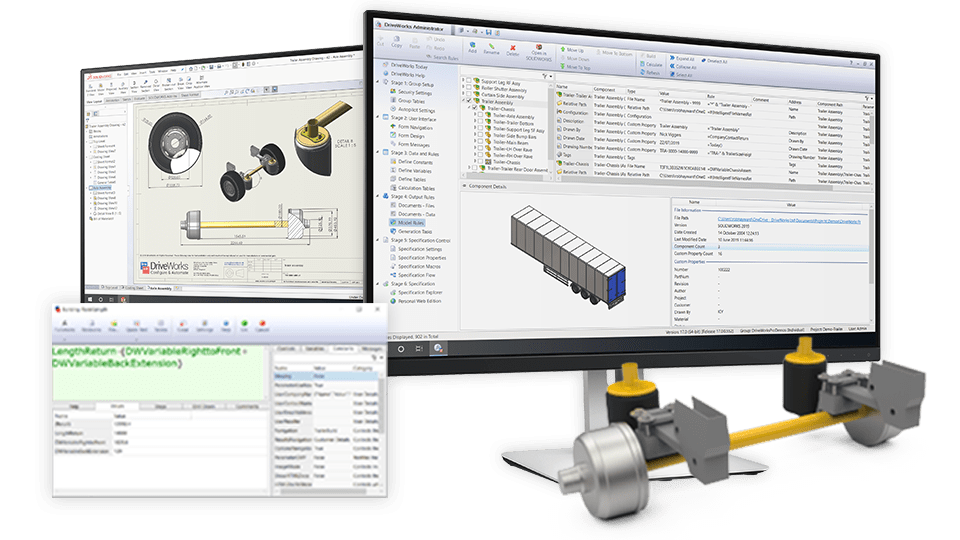
DriveWorks Administrator
Set up and manage your automation and configurator project with DriveWorks Administrator and the SOLIDWORKS Add-in.
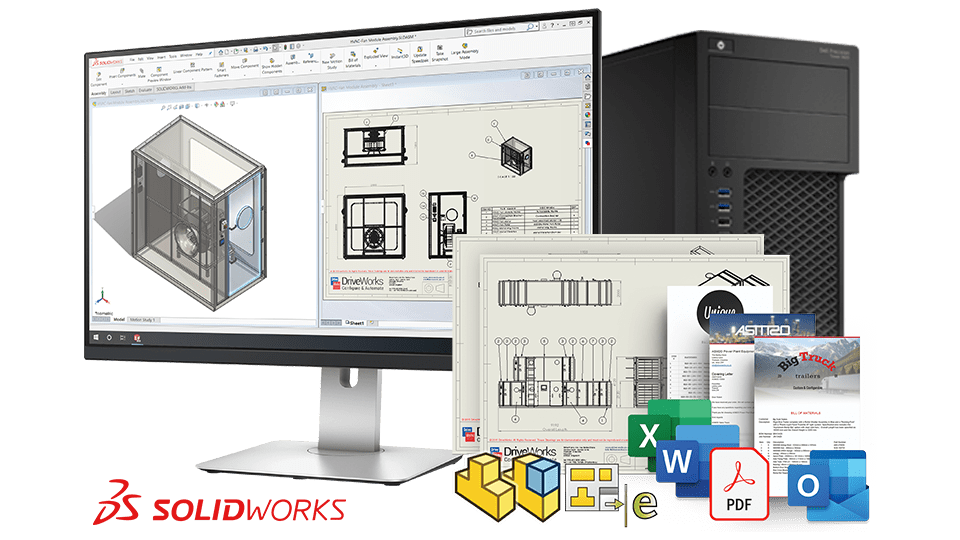
DriveWorks Autopilot
Automatically generate custom product data and documentation for engineering, manufacturing and sales. Automatically send emails and bulk process orders.
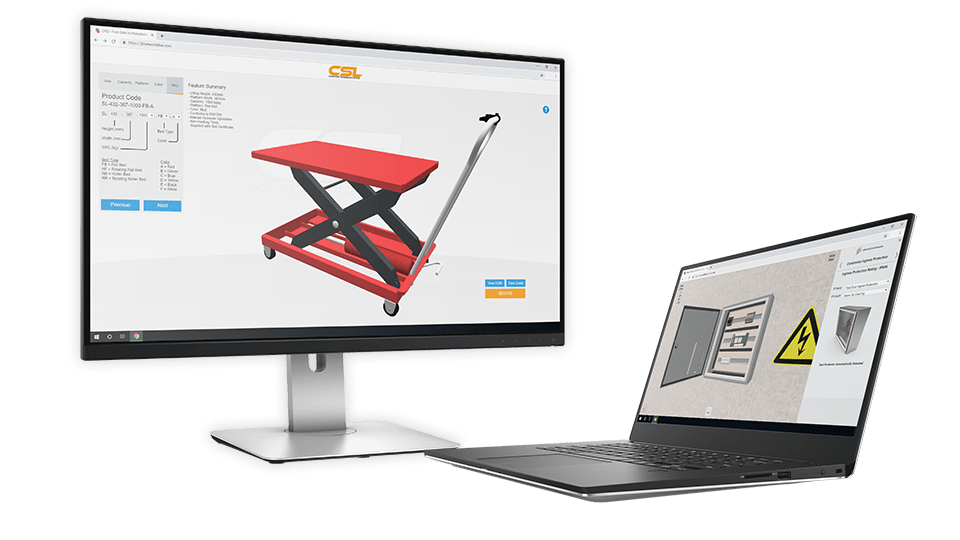
DriveWorks User
Enable engineers, sales teams and non-technical users within your business to run your design automation projects, configure custom products and create sales and manufacturing documentation automatically.
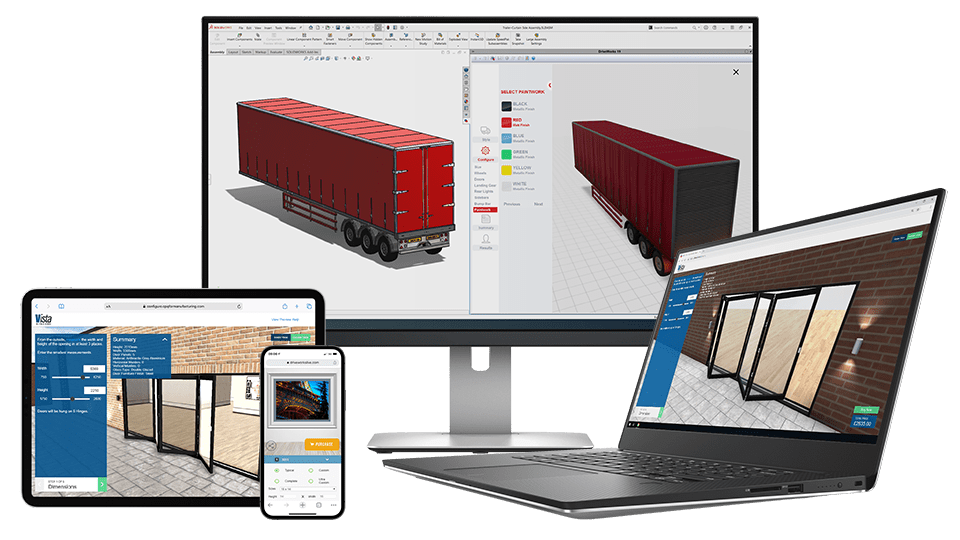
DriveWorks Live
Transform your existing design automation projects into online sales configurators, enabling your sales teams, distributors, dealers, and customers to easily configure and view your products in 3D on any device in their web browser.
Why choose DriveWorks Pro?
DriveWorks has been automating SOLIDWORKS 3D CAD since 2001, and DriveWorks Pro is a SOLIDWORKS Certified Gold Product.
DriveWorks Pro delivers several benefits for manufacturers, including:
- Complete SOLIDWORKS automation
- Online sales configuration
- Interactive 3D visualization
- Integration with other business systems
- Automatic sales and manufacturing document generation
Complete SOLIDWORKS automation
Capture and reuse design, manufacturing, and cost estimation knowledge to deliver custom products faster and with greater accuracy.
- Complete SOLIDWORKS automation using Generation Tasks
- Automate SOLIDWORKS PDM, SOLIDWORKS MBD and SOLIDWORKS CAM
- Full control over drawings, BOMs, and manufacturing documents
Online sales configuration
Enable sales teams, distributors, and customers to configure custom products on any device, anywhere.
- Optimized for all browsers and devices
- Simple to add to your website
- Control users and security

Interactive 3D visualization
Configure products in 3D on any device with DriveWorks 3D preview
- Communicate complex designs easily using interactive 3D
- Import existing 3D models and geometry. DriveWorks supports files in .stl, .obj, .gtlf, .gtlb, .iam, .ipt, .par, .psm, and .asm formats.
Integration with other business systems
It’s easy to securely pass data between DriveWorks and other company systems, including ERP, MRP, and CRM. Reduce manual data entry to cut down costly errors. Learn more about how DriveWorks can integrate with your company systems.
- Query data from your CRM directly
- Pass data to other company systems
- Dedicated SOLIDWORKS PDM integration
Automatically generate sales & manufacturing documents
DriveWorks automates the creation of a wide range of document types, from branded quotes, covering letters, and delivery notes to BOMs and more. DriveWorks can also save your SOLIDWORKS parts, assemblies, and drawings in a variety of other formats, such as eDrawings, DXFs, PDF and so on.
- Create Microsoft Word, Microsoft Excel, HTML, XML, and text files
- Automatically send emails with generated documents and approval drawings attached
- Create BOMs, cut lists, and supporting documents for manufacturing
WEATHER GUARD transform their sales process with DriveWorks Pro
The challenge
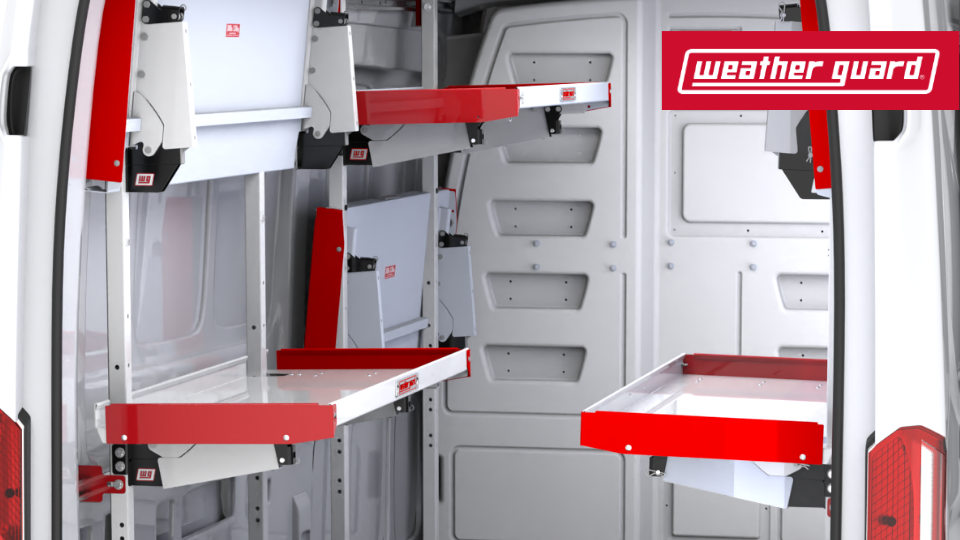
WEATHER GUARD, a WernerCo brand, is an industry leader in custom truck and van storage equipment, including truck boxes, drawer units, shelving, cabinets, and racks for trucks, vans and utility vehicles.
Before using DriveWorks, WEATHER GUARD had a 2D product configurator. However, this solution wasn’t keeping pace with users’ requirements. Distributor feedback revealed that not following up leads within the first four to eight hours resulted in lost business.
The solution
WEATHER GUARD launched an interactive online 3D DriveWorks product configurator to visualize their products. Their DriveWorks 3D models provide an extremely realistic view of an installed van product package.
WEATHER GUARD developed their configurator to integrate with other business systems. They can leverage data within their Product Information Management (PIM) system, enabling seamless additions of new SKUs or vehicles. Sales opportunities are captured in Salesforce, enabling WEATHER GUARD to track their status all the way through to sales completion.
Added benefits
With WEATHER GUARD’s previous 2D configurator, a user-submitted configuration would take up to three days to be assigned to a distributor. Using DriveWorks, WEATHER GUARD sends referrals to distributors immediately, creating an effective sales pipeline.
DriveWorks is used as a lead generation and sales tool, enabling stakeholders to track business through their configurator and monitor revenue and ROI. Using DriveWorks, WEATHER GUARD increases completed configurations, boosts distributor referrals, and drives sales.