
Included free inside SOLIDWORKS®
Easy-to-use, entry-level design automation
Design automation technology is used by manufacturers to automate repetitive design engineering tasks and improve business efficiencies. Design automation enables engineers to quickly and accurately generate different versions of CAD parts, assemblies, and drawings, giving them more time to work on product development and innovation.
DriveWorksXpress is a design automation tool included free with every seat of SOLIDWORKS®, so you can start automating any part of your product design today!
What is DriveWorksXpress?
DriveWorksXpress is an easy-to-use, entry-level design automation tool included free inside SOLIDWORKS. Our rules-based software enables you to create multiple versions of your SOLIDWORKS parts, assemblies, and drawings, quickly and accurately. It is ideal for automating everyday repetitive design tasks and will add real value if the designs and projects you work on are the same but different.
DriveWorksXpress design automation is used in a wide range of industries, including HVAC, transportation, materials handling, architectural components, and furniture. It’s used by thousands of design engineers every day to quickly generate new versions of their SOLIDWORKS parts, assemblies, and drawings.
Why choose DriveWorksXpress?
DriveWorks has been automating SOLIDWORKS 3D CAD since 2001, and DriveWorksXpress is a SOLIDWORKS Certified Gold Product. DriveWorksXpress delivers several benefits for design engineers:
- Easy to set up and use
- Frees up time
- Reduces errors

Easy to set up and use
It’s easy to get started with DriveWorksXpress as you don’t need any programming skills.
The rules builder functionality inside DriveWorksXpress uses standard Excel functions that you’ll already be familiar with. Once you’ve set up the rules for the different parts you’re working on, you can run your DriveWorks project over and over for each different custom order.
Because you’ve set the rules, you can be confident that all of your designs will be accurate and manufacturable.

Frees up time
DriveWorksXpress enables you to automate any part of your SOLIDWORKS design, giving you the flexibility to automate time-consuming and repetitive tasks and use your time more efficiently.
Before using DriveWorksXpress, designing something such as a standard machine sub-base or leg supports would take 30 minutes. With DriveWorksXpress, this task takes just 1 minute, allowing you to focus your time on the more complex aspects of your designs. This may only be a small part of your design process, but the time savings are effective and can have a big impact on the overall design time.

Reduces errors
Because DriveWorksXpress works on rules and conditions that you set yourself, design revisions are automatically generated according to the preset parameters you have defined.
Removing the volume of manual input on design revisions reduces the risk of errors and improves accuracy rates.
Cost savings are achieved as a result of less rework and wastage, and customer satisfaction is improved through consistent product quality.
Oasis Trailers reduce design time by 75% with DriveWorksXpress
Oasis Trailers use DriveWorksXpress to calculate the rules and drive their SOLIDWORKS models for new trailer configurations, automatically generating a new drawing at the same time.
They created a simple three-input form using the form-building options in DriveWorksXpress. The inputs automate the requirements for the Hub Face, the Spring Center, and the Wheel Options of their trailer axles. Each time a new specification is entered on the form, DriveWorksXpress works in the background to calculate the rules and drive the SOLIDWORKS model.
Previously, this would be 20 minutes of repetitive work. Using DriveWorks, this time has been cut down to just 5 minutes.
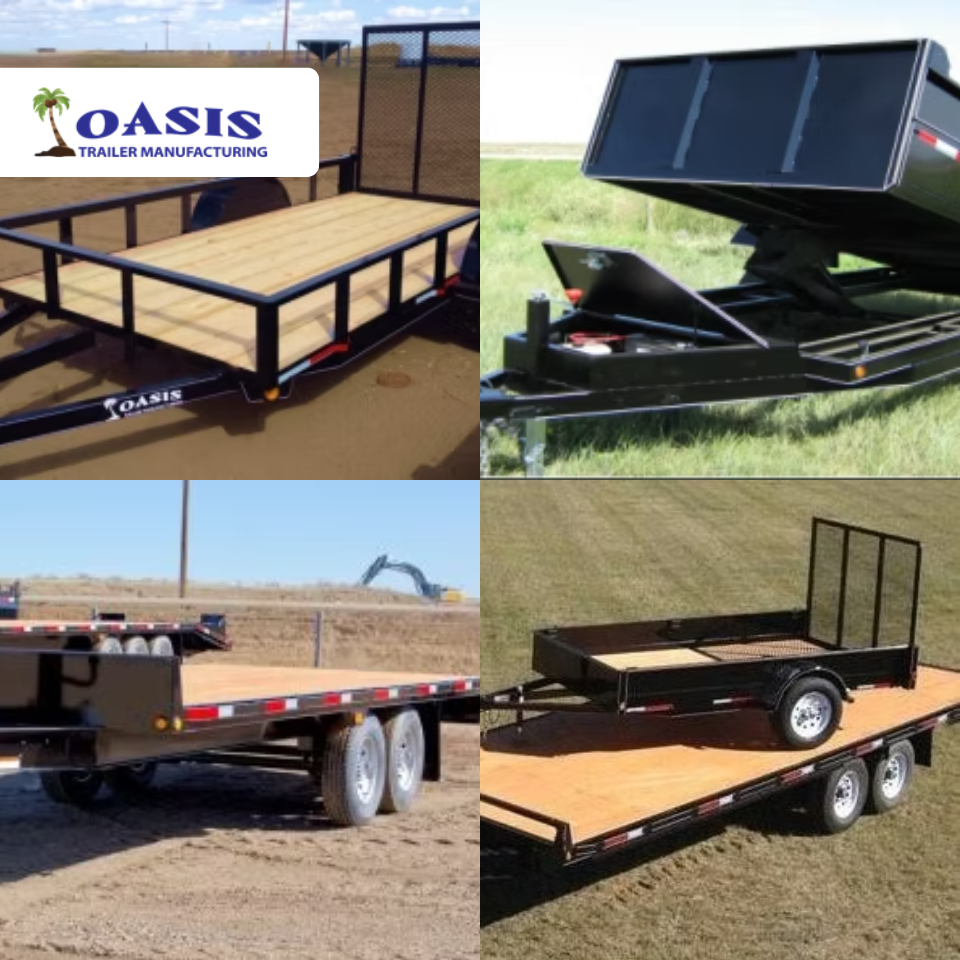

We use DriveWorksXpress on a regular basis here at Oasis Trailer Mfg. It is a game-changer in saving time. Tasks like creating different sizes of axle assemblies and different sizes and configurations of trailer doors used to take 20 – 30 minutes of repetitive work, but now with the help of DriveWorksXpress, these tasks are cut down to less than 5 minutes. This hassle-free process frees up design time to focus on custom high-value design that makes our trailers special.
Ben Fehr, Oasis Trailers Mfg Ltd
How to activate DriveWorksXpress inside SOLIDWORKS
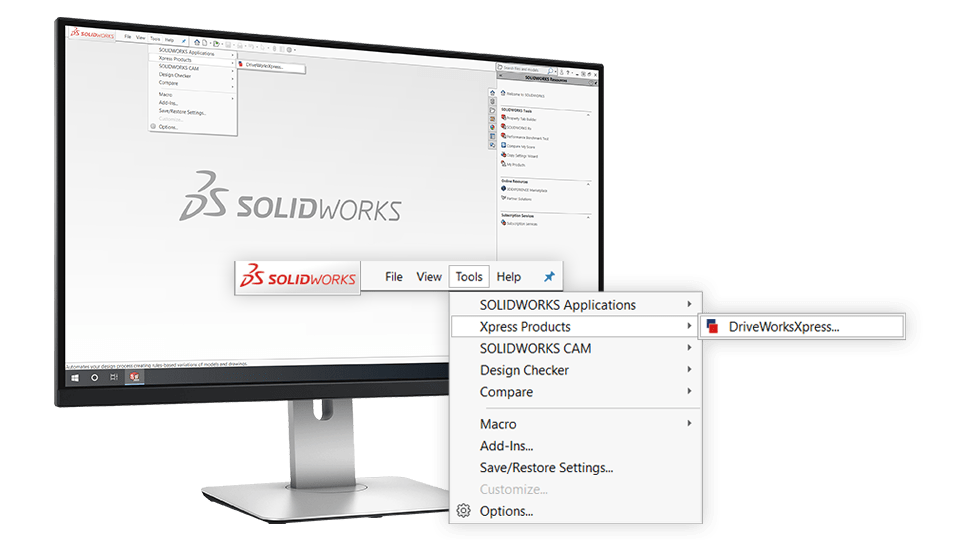

Open DriveWorksXpress
Open DriveWorksXpress from the Tools menu in SOLIDWORKS, click the link, and go to your MySolidWorks Account.
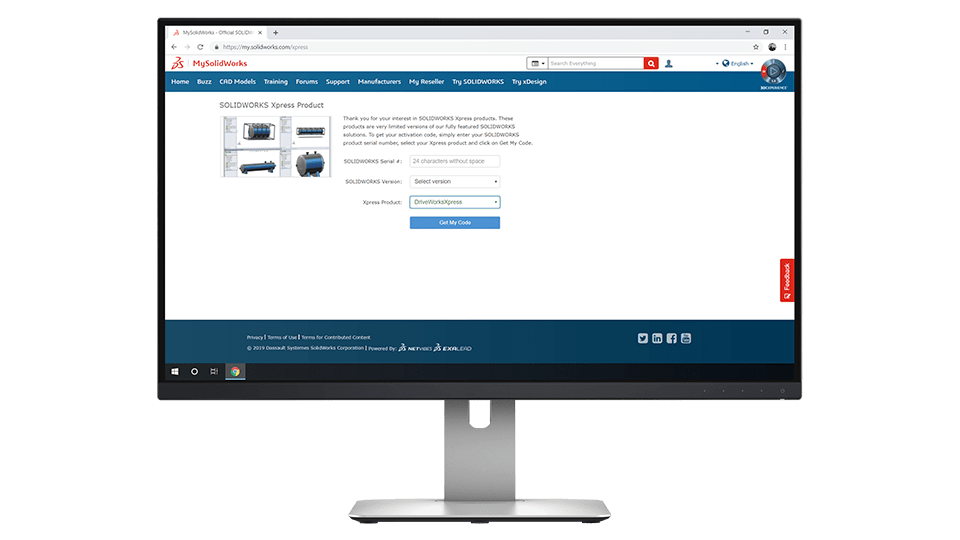

Get your activation code
Copy your activation code and paste it into the DriveWorksXpress activation window in SOLIDWORKS.
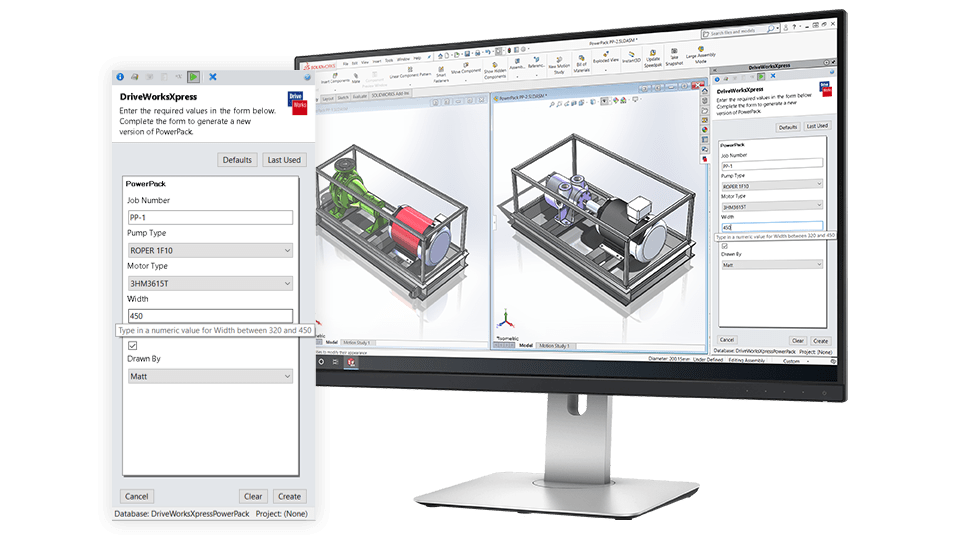

Automate SOLIDWORKS
Set up DriveWorksXpress once and use your forms over and over again to configure new variations.