
Carrosserie Cazaux
Carrosserie Cazaux has increased the speed of getting products into production by driving new variations from existing data with DriveWorks Solo.
Company overview
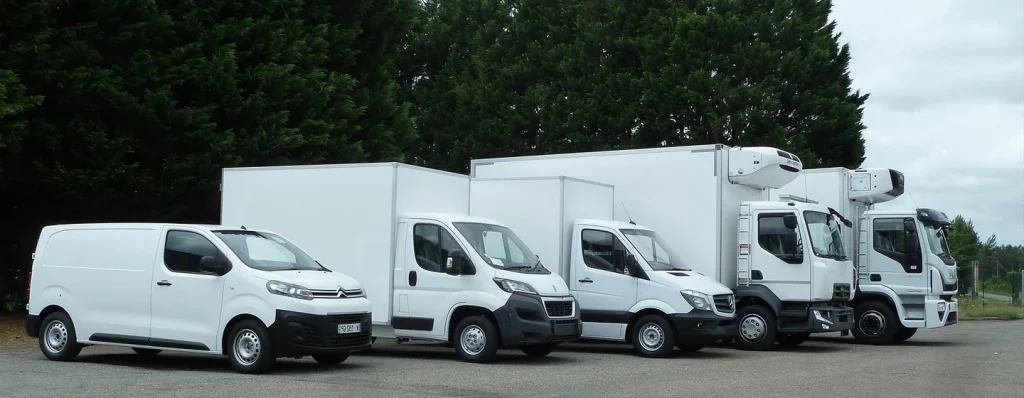
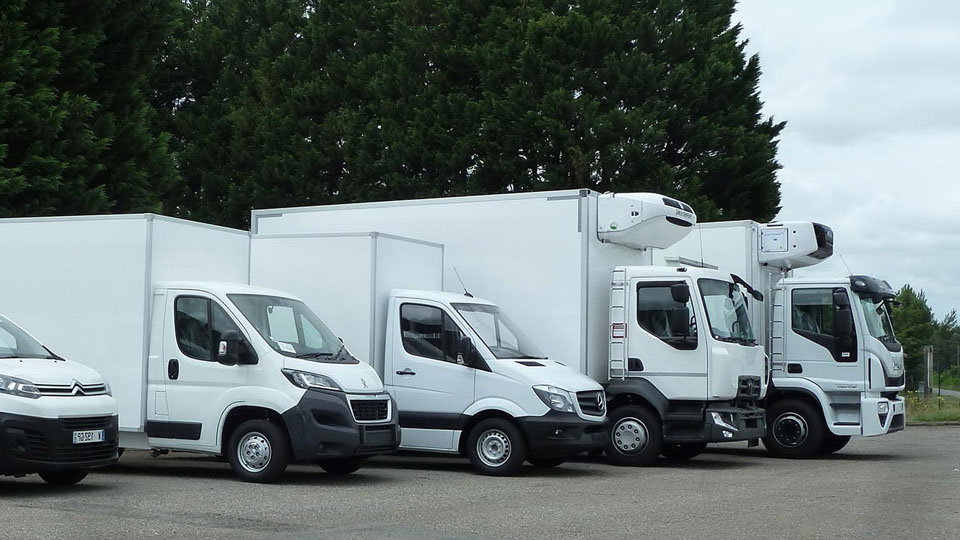
Carrosserie Cazaux, founded in 1983 and based in France, is a leading manufacturer of custom-made refrigeration units for carrier vehicles of up to 26 tonnes, as well as containers, cold rooms, trailers, and custom units.
The company needed a product configurator inside SOLIDWORKS® to drive dimensions, appearances, and feature placement on its models, and chose DriveWorks Solo in 2019.

Challenge
Every unit is custom-made, so dimensions, appearances, and feature placement change from one order to the next.

Solution
A DriveWorks Solo configurator, used by the engineering team, that drives new variations from data imported from existing databases and spreadsheets.

Results
Manufacturing data and drawings are generated automatically, and products get into production faster.

DriveWorks is interactive and fun to use, more flexible, and benefits from the Excel syntax in the rules builder.

Guillaume Guerin – Design Engineer – Carrosserie Cazaux
Challenge
Every refrigeration unit Carrosserie Cazaux builds is custom-made, with dimensions, appearances, and feature placement changing from one order to the next.
Carrosserie Cazaux wanted a configurator that would work inside SOLIDWORKS® and drive these changes on its existing models.
- The configurator needed to work inside SOLIDWORKS.
- It had to drive dimensions, appearances, and feature placement on the models.
- Much of the product data already existed in databases and spreadsheets.
- New team members needed to get up to speed quickly.
See how other transportation manufacturers use DriveWorks.
Solution
A configurator built on tabular data
Using DriveWorks Solo, the engineering team built a configurator that drives dimensions and appearances inside SOLIDWORKS and automates the placement of features on a model.
How the automation works
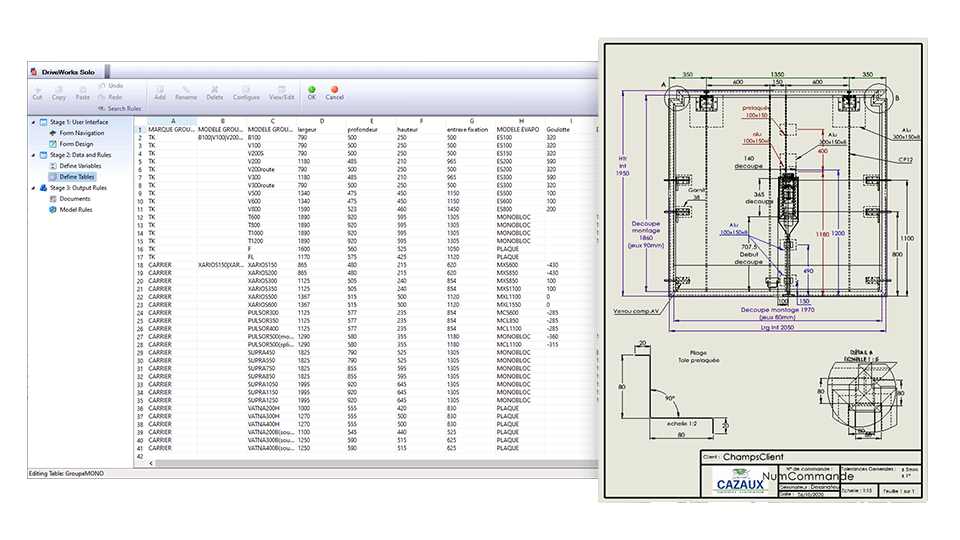
- Define Tables. Data from existing databases and spreadsheets is imported into static tables, where it can be queried and used to drive new variations.
- Excel-style syntax. The rules builder uses familiar Excel-style syntax, which Guillaume says is particularly helpful when first learning DriveWorks.
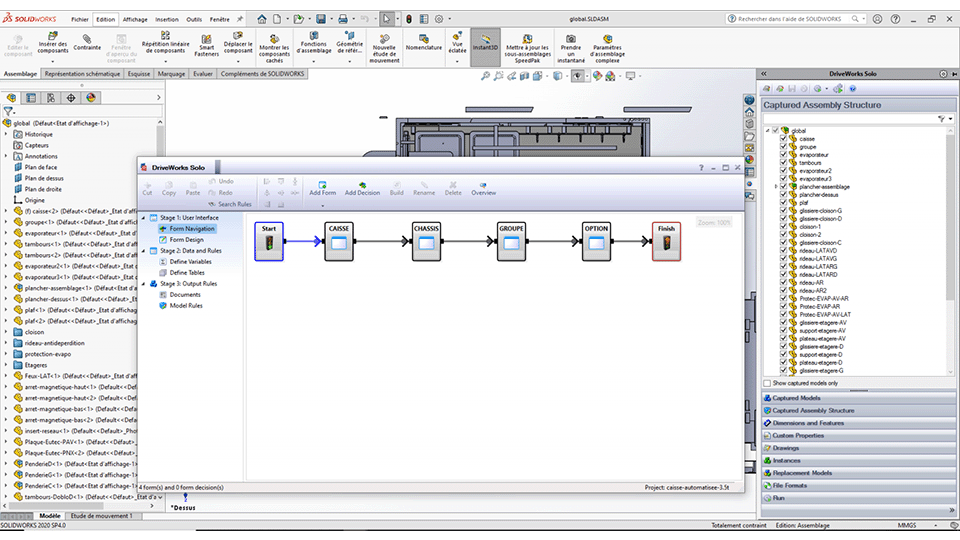
- Custom form navigation. Forms designed in the form designer use decisions to show specific forms and follow a set path based on the values entered.
- SOLIDWORKS task pane. The forms appear in the SOLIDWORKS® task pane, alongside the models the engineers are working on.
Automated drawings
DriveWorks Solo automatically creates manufacturing data and custom 2D drawings inside SOLIDWORKS. Each drawing includes the company logo, the designer, the date, and the client, ready to be sent to the manufacturing floor. Learn more about documents and data.
Results
Faster into production
When asked about the most important benefit of implementing DriveWorks Solo, Guillaume says it is “the speed in getting our products into production.”
- Manufacturing data and drawings are generated automatically.
- Existing data from databases and spreadsheets drives new variations.
- Products get into production faster across the custom range.
- New team members are easier to train, as the rules are simple to write and the software is simple to use.
A configurator that engineers want to use
Carrosserie Cazaux describes DriveWorks as interactive, fun to use, and more flexible. Because the rules use Excel-style syntax, the engineers who understand the product can write and maintain the rules themselves.
Learn more about DriveWorks Solo and the rules builder.
Try DriveWorks for free
Get instant access to DriveWorks Solo for 30 days, no credit card required.