
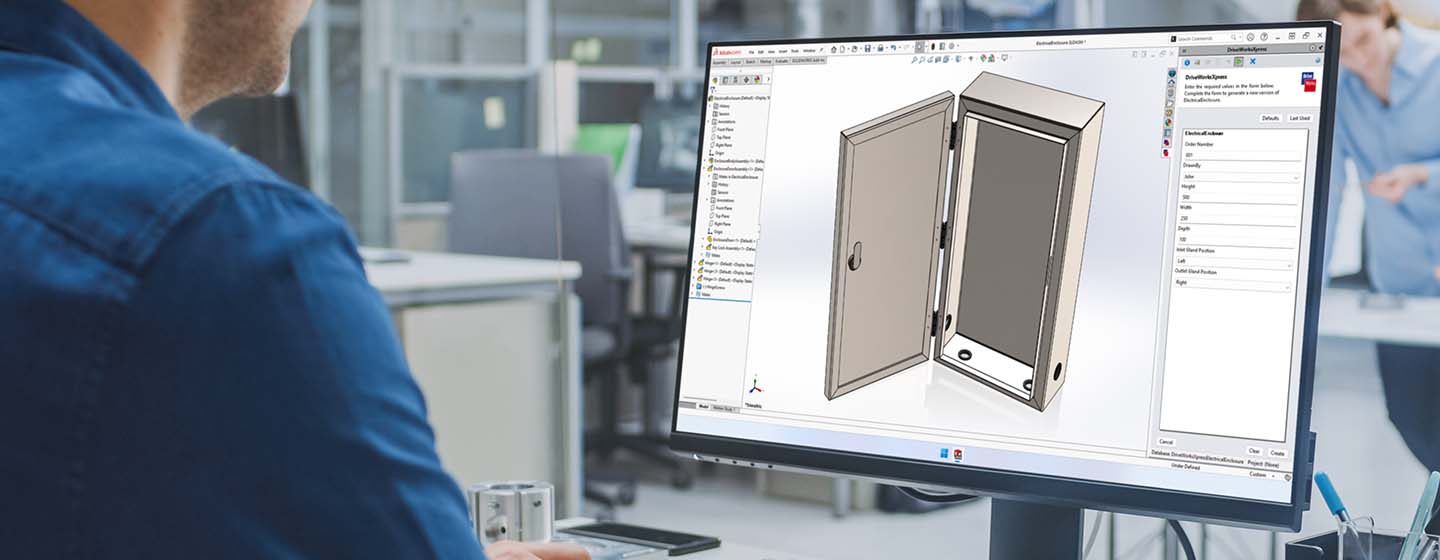
DriveWorksXpress
Entry-level design automation included free in every seat of SOLIDWORKS®.
DriveWorksXpress overview
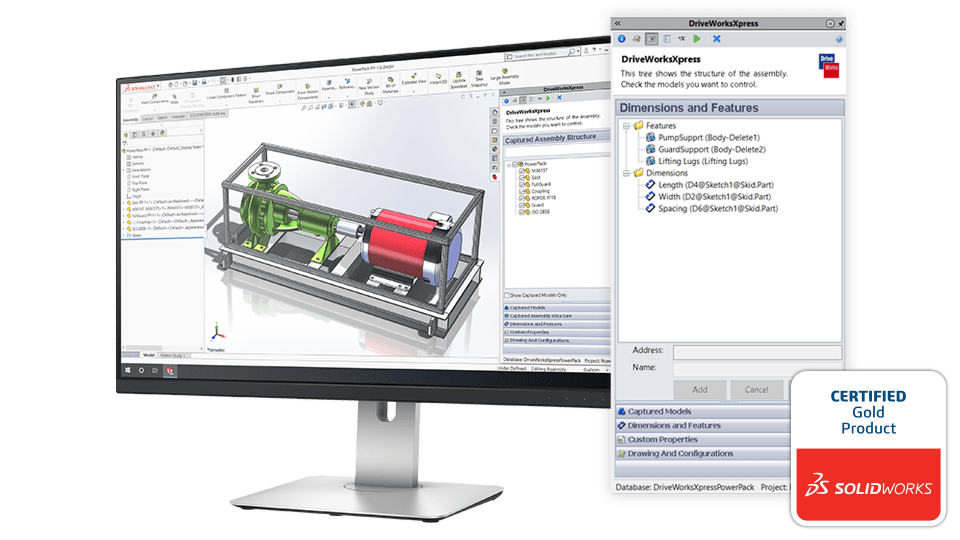
DriveWorksXpress is entry-level design automation that’s included for free in every seat of SOLIDWORKS.
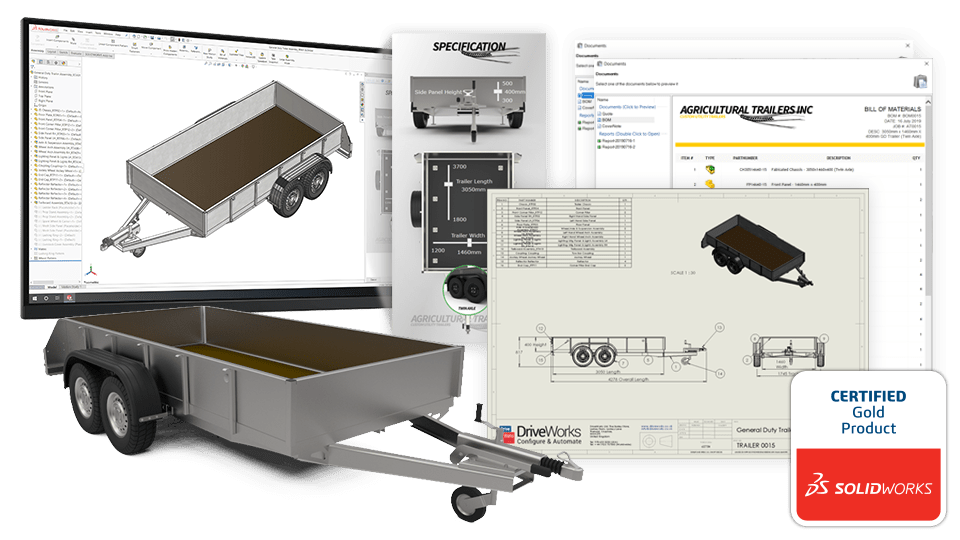
Use DriveWorksXpress to automatically create new, order-specific versions of your SOLIDWORKS parts, assemblies, and drawings.
Setting up and using DriveWorksXpress is simple. Capture the parameters you manually update in SOLIDWORKS, build a form to enter your product requirements, and create rules to accurately calculate how the captured parameters should be updated.
Once DriveWorksXpress is set up, you can run it again and again to automatically create new SOLIDWORKS files.
Activate your free license of DriveWorksXpress in the SOLIDWORKS® tools menu.
Simple to set up and maintain
DriveWorksXpress is simple to set up and maintain. Forget complex SOLIDWORKS macros, design tables, and configurations.
Automate tasks and focus on what matters most
Automate repetitive SOLIDWORKS tasks and free up time to focus on product innovation and development.

Eliminate errors
DriveWorksXpress uses rules to eliminate errors and expensive, time-consuming design changes.
DriveWorksXpress features
Free SOLIDWORKS automation without complex macros, design tables, or configurations.
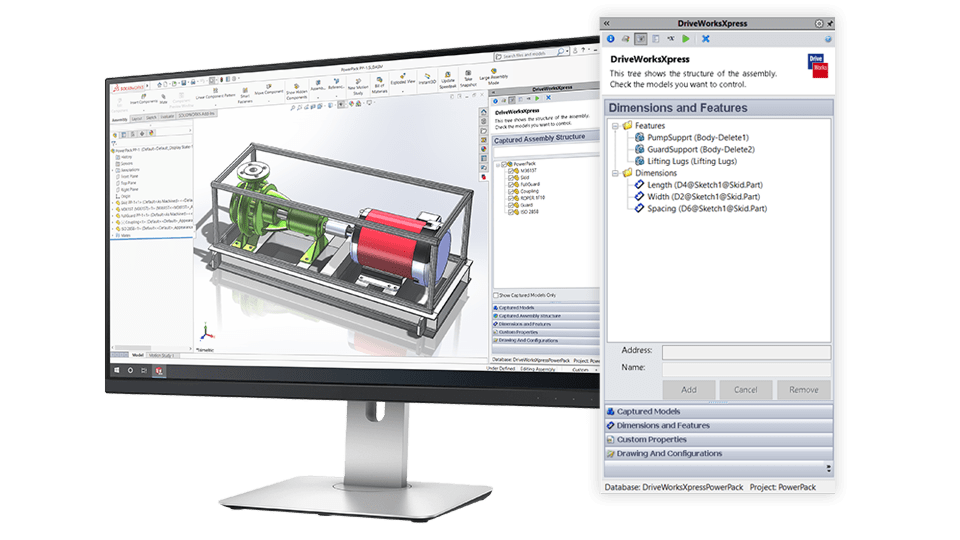
Automate SOLIDWORKS
Capture and control the parameters you manually change in your SOLIDWORKS models and assemblies in DriveWorksXpress.
- Control dimensions, features, custom properties and switch configurations.
- Update drawings by associating them with driven models.
- Add and update captured parameters easily.
Input forms
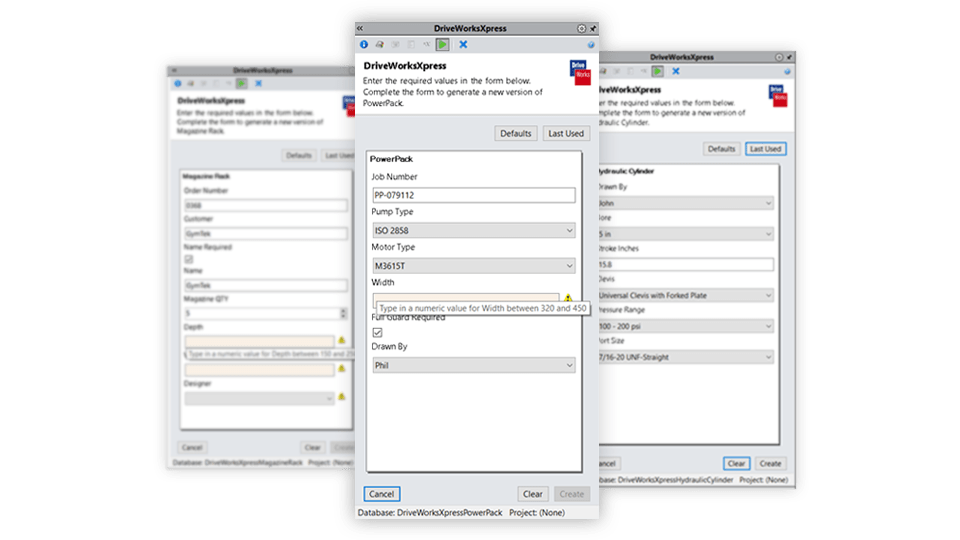
Create input forms to enter product requirements. Add validation to controls to ensure inputs are always suitable.
- Show requirements and add validation to inputs.
- Add text boxes, numeric text boxes, drop-down lists, spin buttons and checkboxes.
- Set default values and order of controls on input form.
Rules builder
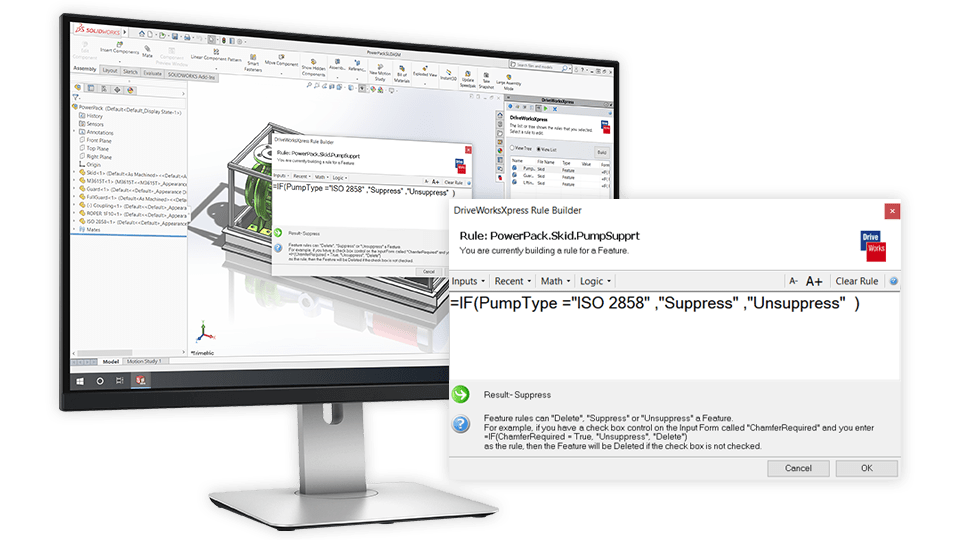
Build rules to link input controls with captured parameters using the intelligent DriveWorks Rules Builder.
- Define your design knowledge using mathematical formulas and logical statements.
- Use standard Excel functions.
- Use intelligent file naming to build a library of components.
How to activate DriveWorksXpress
DriveWorksXpress design automation is included for free in every seat of SOLIDWORKS.

Open DriveWorksXpress
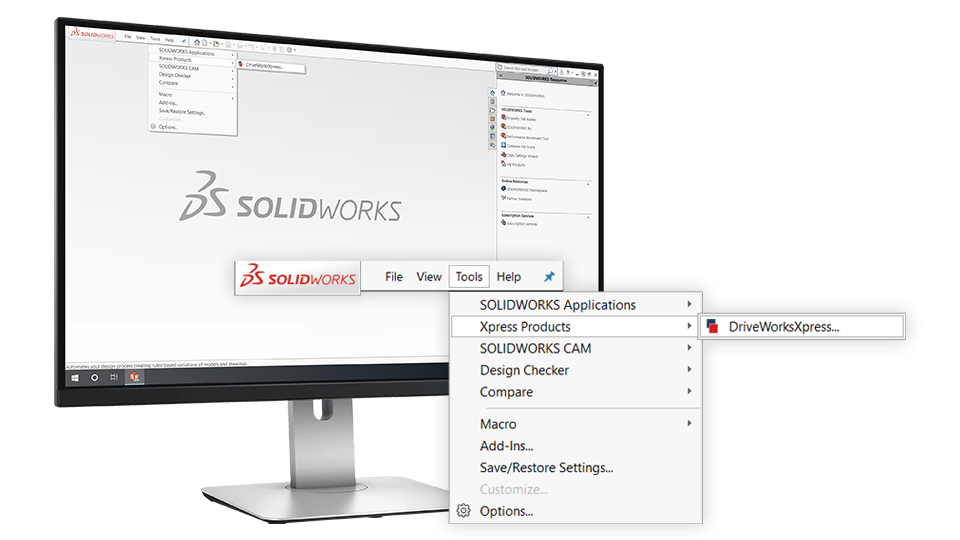
Open DriveWorksXpress from the Tools menu in SOLIDWORKS, click the link and go to your MySolidWorks Account.

Get your activation code
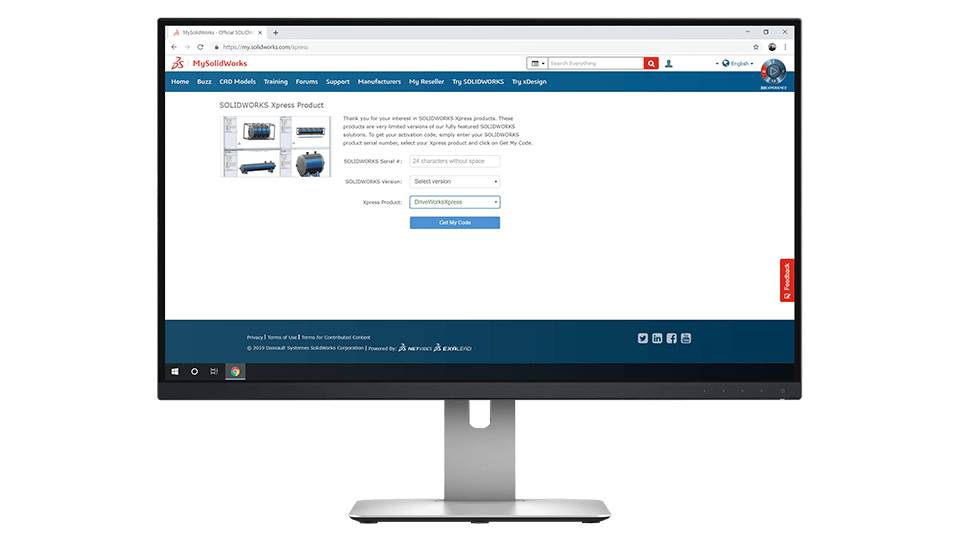
Copy your activation code and paste it into the DriveWorksXpress activation window in SOLIDWORKS.
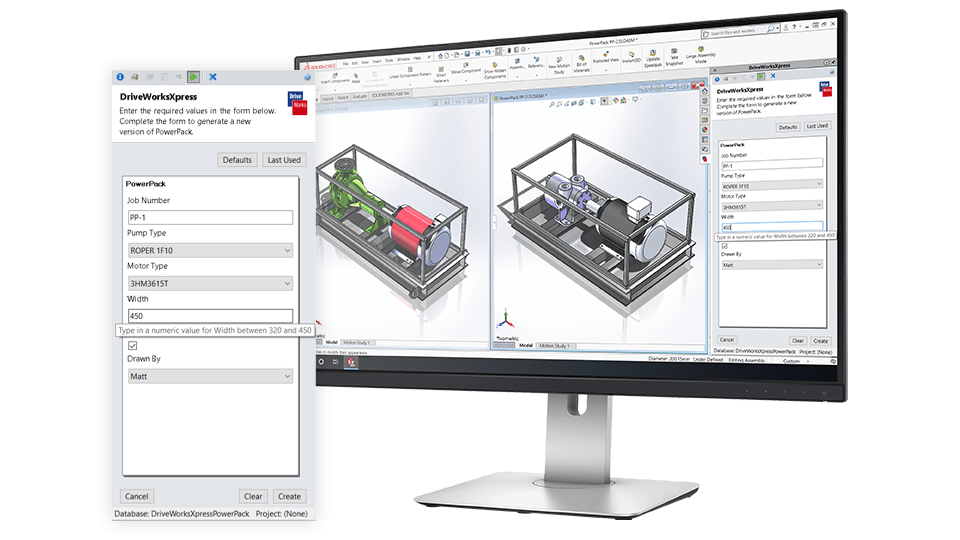

Automate SOLIDWORKS
Set up DriveWorksXpress once and use your forms over and over again to configure new variations.
DriveWorksXpress learning resources

DriveWorksXpress help file
Comprehensive documentation on all DriveWorksXpress features and functionality.
Learning portal
Complete the New To – DriveWorksXpress training to prepare for the DriveWorksXpress certification.

Example projects
DriveWorks projects that demonstrate different aspects of DriveWorksXpress functionality.

Getting started webinar
A step-by-step guide that takes you through the first steps to automating with DriveWorksXpress.

DriveWorksXpress forum
A place for DriveWorksXpress users to share tips and solutions.

DriveWorksXpress certification
Expand your knowledge and demonstrate your skills with the DriveWorksXpress certification.

How-to videos
Learn how to capture parameters in SOLIDWORKS®, create forms, and build rules with DriveWorksXpress.

Stay connected with DriveWorks
Get monthly updates on the latest DriveWorks news, expert technical advice, and upcoming webinars and events.
Tutorials
Follow step-by-step tutorials to learn how to automate your own designs in SOLIDWORKS.

DriveWorks customer stories
See how other customers are using DriveWorks and get inspiration for your own implementation.
DriveWorks articles
Explore the latest manufacturing technology insights from our industry experts.
Try DriveWorks Solo for free
Get instant access to DriveWorks Solo for 30 days, no credit card required.
Request a free Little Book of Rules.
Software
Flexible and scalable solutions for manufacturers of custom products.
DriveWorksXpress

Free entry-level design automation included inside SOLIDWORKS®.
DriveWorks Solo
Part, assembly, and drawing automation add-in for SOLIDWORKS®.
Free 30-day full feature trial. Get instant access, no credit card required.
DriveWorks Pro
Complete SOLIDWORKS® part, assembly, and drawing automation.
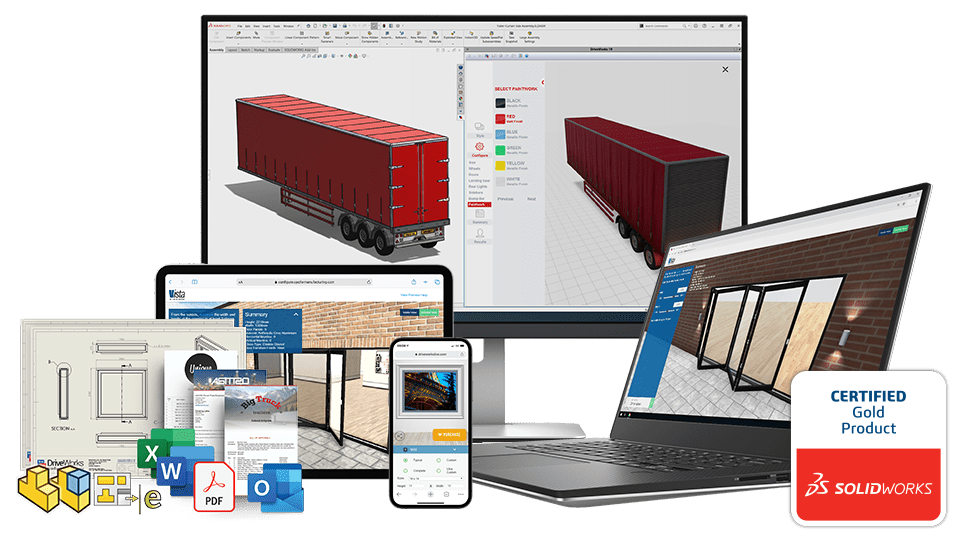
Configure, Price and Quote (CPQ) complex custom products in a browser on any device, anywhere.
Interactive 3D configuration and visualization.